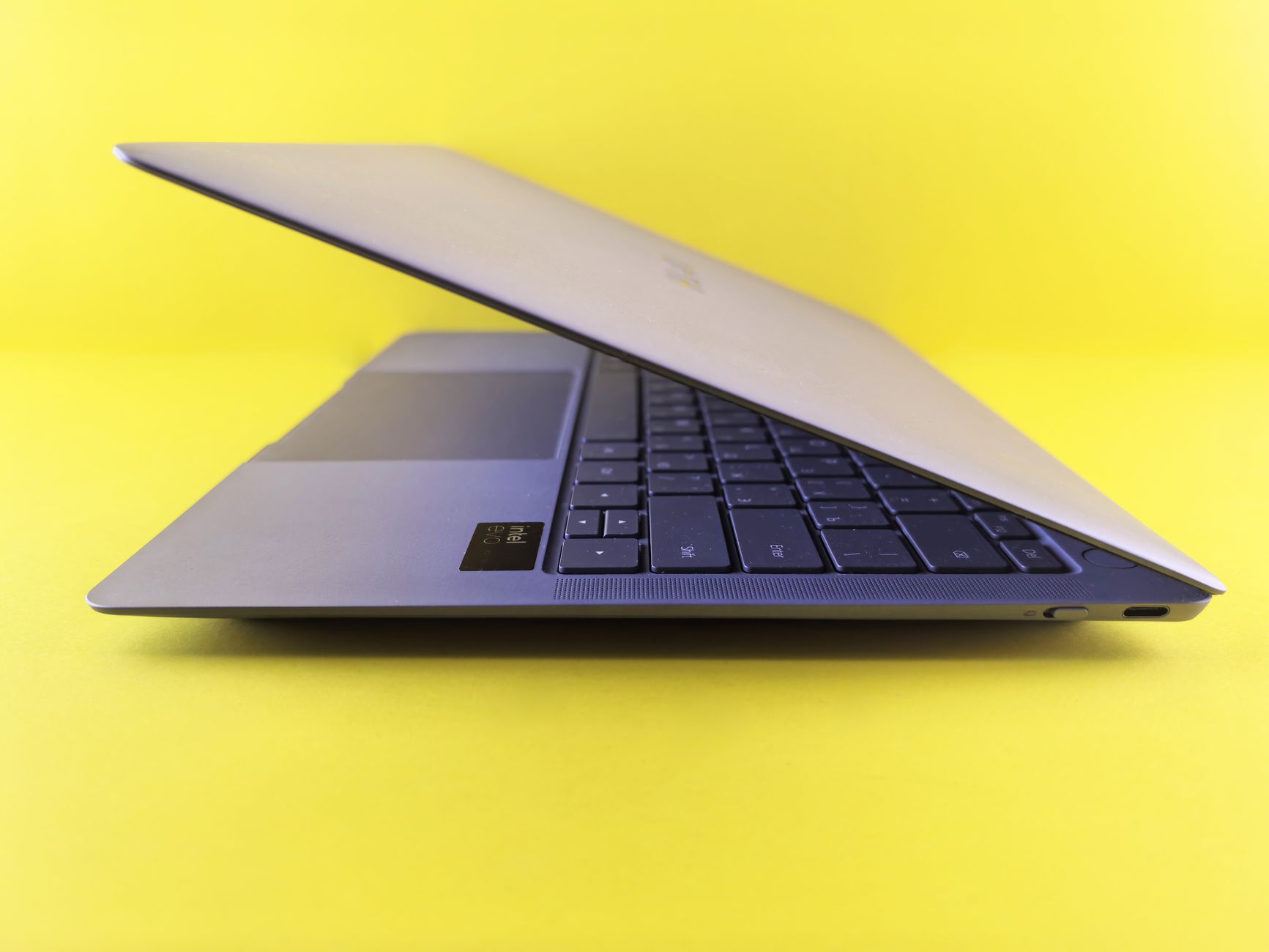
When Google announced its first line of Googlebooks in September 2026, the Dell XPS model arrived as the most expensive of the initial five, priced at $999. The reviewer, who pre‑ordered the Acer version before it sold out, received the Dell unit the day after ordering and spent a day testing its hardware and software. The assessment shows a high‑end ultrabook feel but a software experience still in beta.
Hardware Overview
The Dell XPS Googlebook is the smallest of the launch lineup, which also includes models from Acer, Asus, Hewlett‑Packard and Lenovo. It fits the ultrabook category with a thin, lightweight metal chassis, a backlit keyboard, and a 14‑inch touchscreen that refreshes at 120 Hz. The display lacks an OLED panel but includes an anti‑glare coating that the reviewer found useful for government‑type work. The device ships with two USB‑C ports and no headphone jack, reflecting a minimalist I/O approach.
Google’s minimum hardware specifications for all launch models are met or exceeded: 16 GB of RAM, a Snapdragon X Elite processor, a 512 GB SSD, and a metal chassis. The reviewer notes that the keyboard feels solid with little flex, and the fans, which spun up during initial setup, remain quiet. The mechanical trackpad registers clicks with noticeable pressure but responds well to taps. Speakers are adequate, though they cause the chassis and trackpad to vibrate during playback.
Battery life is described as “good but not amazing,” and the Snapdragon ARM chip delivers fast performance while promising better efficiency than comparable x86 processors. Overall, the hardware feels comparable to recent MacBook Air models and more premium than typical Chromebooks.
Software and AI Integration
The Dell XPS runs the new Googlebook operating system, a heavily customized version of Android 17. As a result, the device can run Android apps natively, and during setup it copies installed phone apps to the laptop. The reviewer estimates that roughly 97 % of Android apps work without issue, though a few may struggle on Intel‑based Googlebooks.
Key software quirks include a modified Chromebook keyboard layout where the Caps Lock key defaults to a “search” function, requiring the Shift key to enable caps. A dedicated “Google” button on the bottom row opens an app drawer or activates a “magic pointer” feature that interacts with Gemini, Google’s in‑house AI.
Google has integrated Gemini throughout the OS, offering a single‑click or cursor‑based way to summon AI assistance. Users can ask Gemini about on‑screen content, combine images, or perform other AI‑driven tasks. Each Googlebook ships with a one‑year subscription to Gemini Pro, which includes five terabytes of cloud storage.
Despite the AI focus, the reviewer reports significant problems with the promised seamless integration between the laptop and Android phones. As a Pixel owner on Android 17, the reviewer experienced frequent disconnections; the laptop would lose the phone connection after the devices were separated or the laptop was closed, often requiring a restart of both devices. Streaming phone apps to the laptop sometimes resulted in choppy scrolling, though the reviewer could not determine whether this stemmed from the integration layer or an unstable internet connection.
The reviewer acknowledges that the Googlebook OS is still in its early phase, noting that updates have already been issued within a week of launch to address bugs. While the integration issues are a drawback, the reviewer sees potential value when the feature works, allowing quick access to phone‑only apps and file transfers.
In summary, the Dell XPS Googlebook delivers a premium build, strong performance, and deep AI integration, but its software ecosystem still requires refinement, particularly around phone continuity and stability.

Steve Lopez is a Senior Editorial Columnist and Health & Public Policy reporter for News Raise. Steve focuses on healthcare advancements, medical technologies, and public health policies.