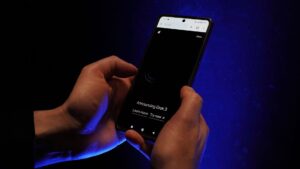
Apple released a beta version of its next‑generation voice assistant, Siri AI, this month as part of iOS 27. The feature is being rolled out gradually through a waitlist and is labeled as a beta, indicating that Apple expects to refine it in future updates. While the new assistant promises richer knowledge answers, the ability to search messages and notes for personal context, and onscreen awareness, early adopters have reported a series of problems that undermine everyday use.
Network connectivity errors
Several users have encountered a recurring “Sorry, something went wrong” message when invoking Siri AI. The error appears to stem from communication issues between the device and Apple’s Siri cloud backend. Community reports suggest that disabling a VPN or switching Wi‑Fi networks can sometimes resolve the problem, implying that the assistant’s cloud calls are sensitive to network configuration. The Siri UI does not explain the cause of the failure, leaving users with an unhelpful voice assistant. Some observers also suspect intermittent downtime on Apple’s cloud infrastructure may be contributing to the failed requests.
Search indexing and device‑wide finding bugs
Although Siri AI is marketed as superior at locating content on a device, a number of testers say the opposite is true. Commands such as “Add eggs to my grocery list in Reminders” result in Siri stating it cannot find the list. Similar reports describe attempts to turn off all alarms being answered with “you have no alarms,” and HomeKit accessories not being recognized by name. One Apple Watch user even received a response that a timer could not be set because the Clock app was not installed on the device. These symptoms point to underlying indexing bugs, though Apple has not offered a clear user remedy.
Requirement for an unlocked iPhone
Another complaint centers on the new assistant’s insistence that the iPhone be unlocked for many requests, even when the “Allow Siri When Locked” toggle is enabled. The limitation affects a range of actions, from sending a message to a contact to accessing personal context stored in the semantic index. Previously, classic Siri would honor such commands while the device remained locked, making the new behavior a regression for users who frequently rely on Siri hands‑free, such as when driving or using AirPods.
Slower response times, especially on Apple Watch
Performance latency is a recurring theme, particularly for users of watchOS 27 on Apple Watch Series 9 or later. Because much of Siri AI’s processing occurs in the cloud via Private Cloud Compute, a weak or unstable network connection can cause noticeable delays. Simple requests like “start a 5‑minute timer” have been reported to take several seconds to resolve on the watch, a stark contrast to the near‑instantaneous replies of classic Siri.
Missing features and UI concerns
Despite its expanded capabilities, Siri AI currently lacks several functions that were available in the classic version. Apple’s documentation confirms that queries about Health app data are not supported, and the earlier ChatGPT integration no longer responds to the “Use ChatGPT” prefix. Additionally, certain phrasing that classic Siri understood now confuses the new model, leading to unexpected results.
The user interface has also drawn criticism. Users note the prominence of new “Ask Siri” buttons throughout the operating system, the absence of a visible transcript of spoken input in the Dynamic Island UI, and the repurposing of the middle‑screen swipe‑down gesture—traditionally used for notifications—to launch Siri and Spotlight. These changes have been described as intrusive and less intuitive than the prior design.
Apple has indicated that Siri AI remains in beta and that additional languages will be added in October, but no detailed roadmap has been disclosed. For users who find the new assistant untenable, Apple provides a way to revert to classic Siri. The switch can be made via Settings → Screen Time → Content & Privacy Restrictions → Siri, selecting “Siri Classic” instead of “Siri AI (Beta).” Alternatively, disabling Siri entirely in the Siri settings and re‑enabling it later will prompt a choice between the two versions.
As the rollout continues, the feedback gathered from early adopters is likely to shape the next set of updates, aiming to resolve the connectivity glitches, indexing errors, lock‑screen restrictions, speed issues, and missing functionalities that have so far limited the appeal of Siri AI.

Norman Pearlstine is the Executive Editor and Co-Founder at News Raise. With over two decades of experience across financial journalism, corporate governance, and market analysis, Norman leads the editorial direction and ensures strict adherence to journalistic accuracy and ethics.