Clicks Technology, a startup focused on reviving physical keyboards for mobile devices, began shipping its $99 Power Keyboard this summer after a brief delay. The slide‑out accessory is MagSafe‑compatible and, as of last week, 75% of the first‑batch preorders have been delivered to customers.
Design, fit and compatibility
The Power Keyboard is built as a detachable slide‑out unit with tactile, clicky keys. According to the company, it can attach to a range of smartphones using either MagSafe or Qi2 magnetic standards, and it can also be mounted with an adhesive ring or a magnetic‑compatible case for phones that lack native support. Once paired via Bluetooth, users slide the keyboard out and type in either portrait or landscape orientation. The device automatically adjusts to different phone dimensions, working with standard models as well as larger Ultra or Pro Max sizes. Testers confirmed compatibility with iPhone Air, iPhone 17 Pro, 17 Pro Max, 16 Pro, Pixel 9, Galaxy Fold and other Android phones.
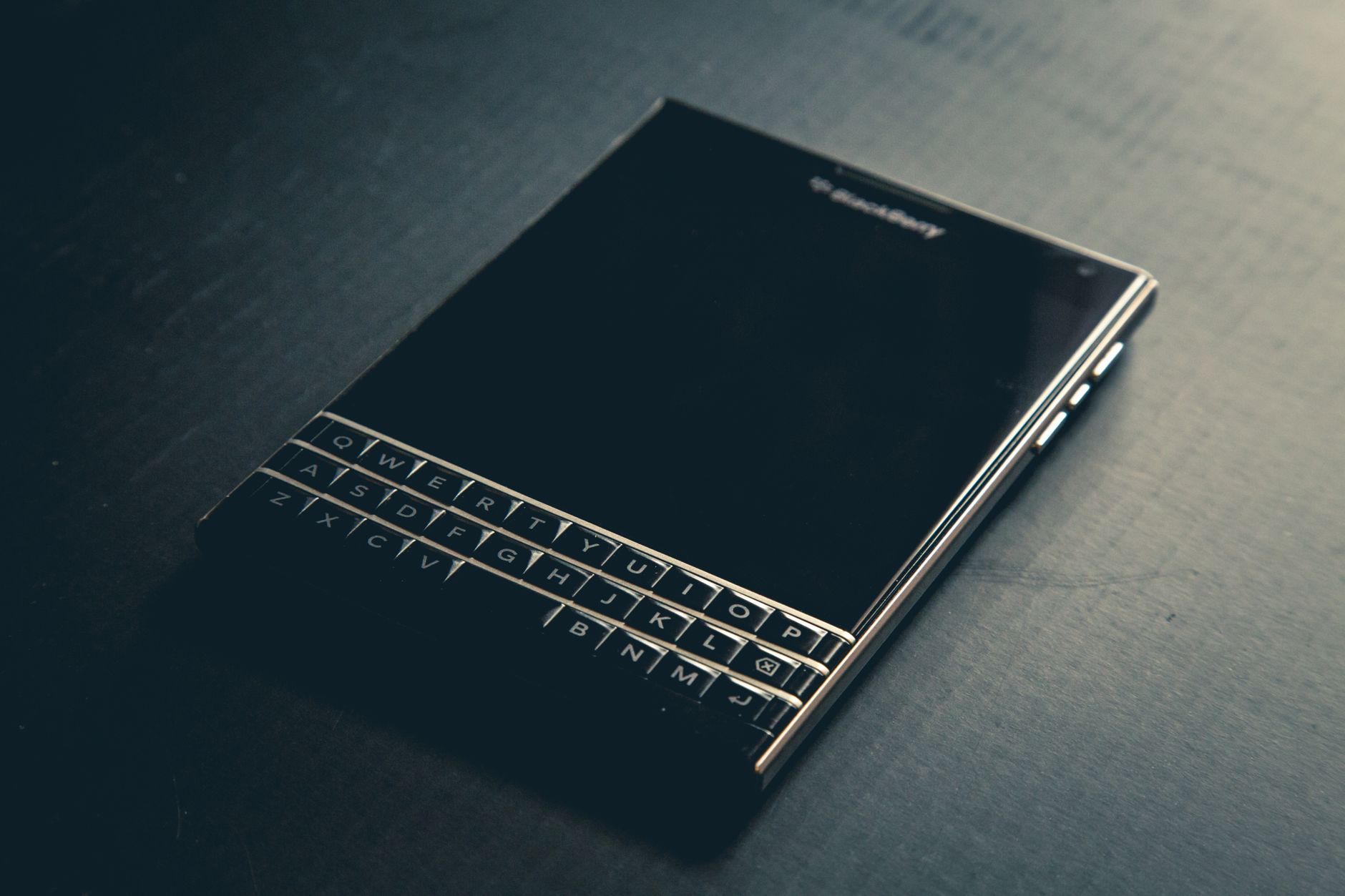
While the keyboard offers a BlackBerry‑like feel, reviewers noted that the added hardware makes larger phones feel top‑heavy, especially in portrait mode. Tests with an iPhone 17 Pro Max and a Pixel 10 XL highlighted the challenge of holding the combined device comfortably.
Battery, charging and portability
Unlike Clicks’ earlier keyboard case, which drew power directly from the phone’s USB‑C port, the Power Keyboard houses a built‑in 2,150 mAh lithium‑ion battery. The unit measures 119.7 × 76.6 × 15.2 mm and weighs 180 grams. It can be charged via USB‑C before first use, though many units arrived already charged. The internal battery also supports wireless charging for MagSafe and Qi2 devices, with an option in the Clicks companion app to disable this feature or allocate a portion of the charge to external devices.
Despite its relatively slim profile, the keyboard’s weight and dimensions make it unsuitable for a typical women’s pants pocket and it may snag in a back pocket if the slide is pressed unintentionally.
Customization and user experience
Clicks provides extensive software customization through its mobile app. Users can assign the dedicated Clicks key as a Tab function, enable “Cursor Mode” (Sym + CMD) to turn certain letters into directional controls, and set the Return key to produce a hard or soft return. Adjustable settings include idle timeout, LED backlight brightness, and battery reserve levels for wireless charging.
Number‑row shortcuts allow a number key combined with the Sym button to trigger actions such as Escape, volume adjustment, play/pause, and page navigation. The app also supports Apple Shortcuts, letting users map keys to start calls, fetch weather, toggle the flashlight, initiate AirDrop, send texts and more. While these power‑user features require familiarity with the keyboard layout, reviewers found the learning curve less steep than with Clicks’ earlier case keyboard.
Potential uses and market positioning
The Power Keyboard is positioned as a stopgap for users who miss the speed and reliability of physical keys while Clicks prepares its own smartphone, the Clicks Communicator, slated for release later this year. The Communicator will also feature an integrated physical keyboard, which reviewers suggest will offer a more ergonomic experience than adapting a universal accessory to varied phone sizes.
Beyond smartphones, the Bluetooth‑enabled keyboard can pair with tablets, smart TVs such as Apple TV, and AR/VR headsets like the Apple Vision Pro, providing a practical solution for typing passwords or emails on devices that lack native keyboards.
Overall, the Power Keyboard delivers on its promise of a BlackBerry‑style typing experience at an affordable price point, but its added bulk and the need for a learning period may limit appeal to a niche audience of keyboard enthusiasts.

Mitchell Landsberg is a Senior Technology Correspondent at News Raise. He covers consumer electronics, artificial intelligence, software developments, and digital privacy trends.